What is debouncing.?
Debouncing is a function, it accept a function and a timer value for delay. Debounce function execute that function after provided delay. Generally, we use debounce function where user provide continues input and need continues event call. For Example in Google search, when we start typing it start suggesting some keyword so it start continues calling API or searching in cache memory (some use API and some use cache), but this thing can reduce the performance of application because continues call and search.
To solve the continues calling API or searching in cache, we can use debouncing. Debouncing execute function after provided delay but it clears the previous time also. what it means clear the previous timer or delay ? Means suppose function is calling API on click in search box and there is 3 sec delay so when ever you start typing, function will call but till will execute only after 3 sec when you stop typing and till then each time it will clear timer and wait for 3 sec.
Most used example in google search
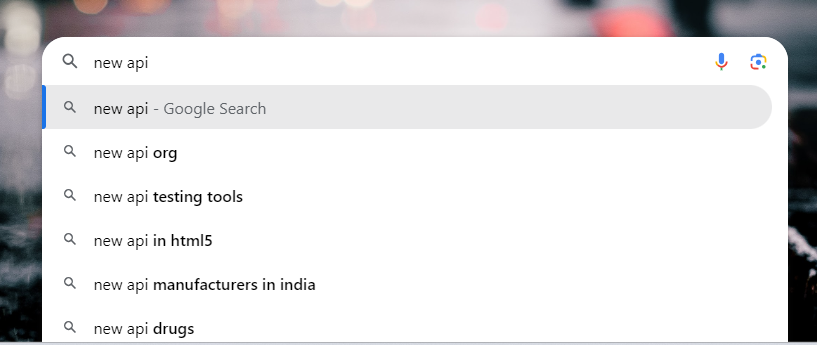
here when ever we start typing it start suggesting us the related search, we can use debouncing.
Boubts: why we use debouncing if we have setTimeout, because setTimeout also accept a function and execute after some time/delay.
There is one very important concept in debouncing that it clears the timer also. if you continues typing then it will clear time each time and only last time it will execute and setTimeout function doesn't clears the timer.
How to implement in react.
In React, we can use the useEffect and provide the return function to clear the timer.
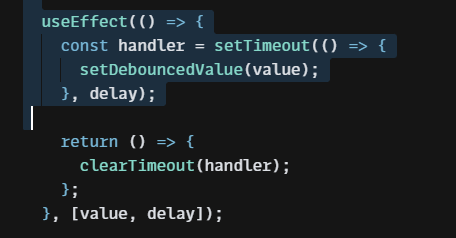
In React, we can create a custom hook also for debouncing.
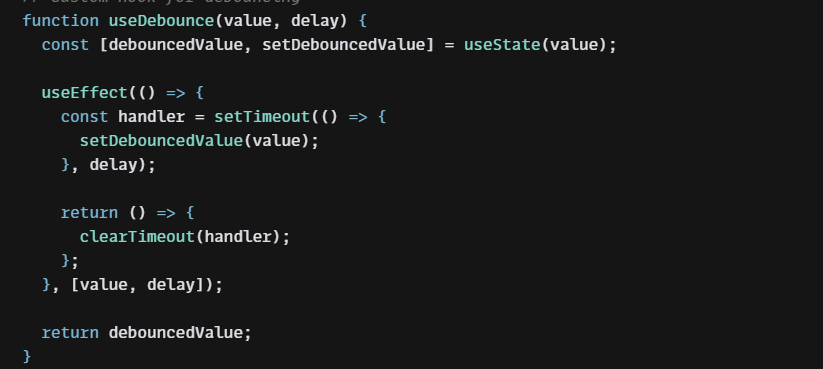
below are complete code for debouncing in react.
import React, { useState, useEffect } from "react";
// Custom hook for debouncing
function useDebounce(value, delay) {
const [debouncedValue, setDebouncedValue] = useState(value);
useEffect(() => {
const handler = setTimeout(() => {
setDebouncedValue(value);
}, delay);
return () => {
clearTimeout(handler);
};
}, [value, delay]);
return debouncedValue;
}
function DebouncedInput() {
const [inputValue, setInputValue] = useState("");
const debouncedInputValue = useDebounce(inputValue, 500); // 500ms debounce delay
useEffect(() => {
if (debouncedInputValue) {
console.log("Debounced Input Value:", debouncedInputValue);
// Perform any action you want with the debounced input value, like an API call
}
}, [debouncedInputValue]);
return (
<div>
<input
type="text"
value={inputValue}
onChange={(e) => setInputValue(e.target.value)}
placeholder="Type something..."
/>
</div>
);
}
export default DebouncedInput;